
Introduction
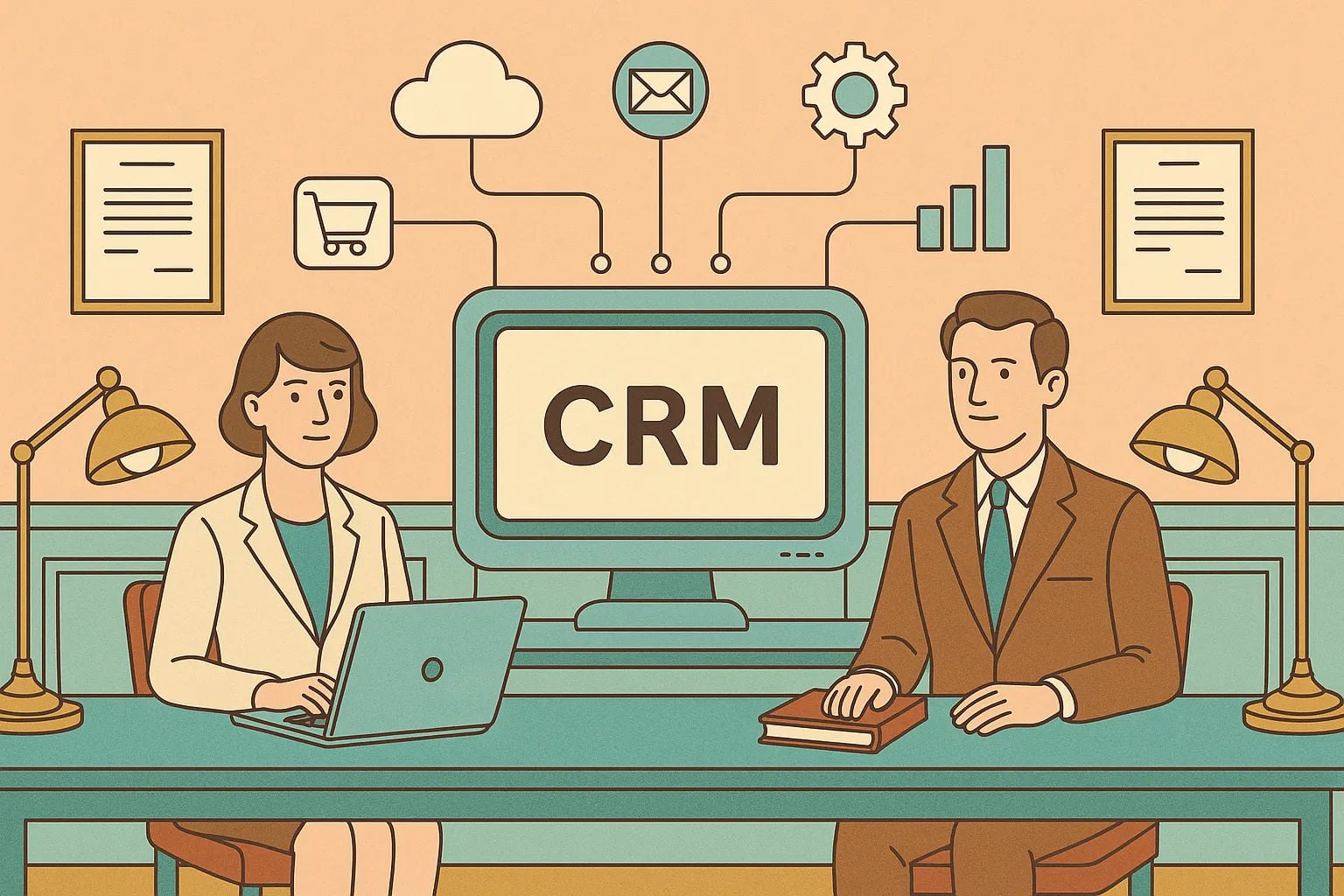
Your CRM only becomes a growth engine when it connects to the rest of your stack—ERP, marketing automation, support, billing, e‑commerce, communications, and analytics. Done right, CRM system integration gives every team a reliable, 360-degree view and eliminates the swivel‑chair work that slows revenue.
CRM Integration isn’t just an IT project; it’s a business capability. In most organizations, 41% of salespeople cite technology integration as their biggest CRM challenge—proof that disconnected systems cause real friction and cost.
Streamline your software evaluation process
The Cost of Disconnected Systems: Data Silos and Inefficiency
Data silos create conflicting “truths” across sales, marketing, and service.
Manual entry wastes hours and introduces errors that cascade into poor decisions.
Leads stall because reps lack inventory or pricing context from ERP.
Support teams ask customers to repeat details because ticket history isn’t visible in CRM.
Market context: CRM adoption is nearly ubiquitous among firms with 10+ employees, and cloud CRMs now dominate. Vendors keep investing in open APIs and marketplaces to support business system integration CRM at scale, and the US provider landscape is robust and growing (see IBISWorld and Dialectica overviews). The takeaway: integration is now table stakes.
Following are some of the many use cases:
1. Achieving a Unified Customer View (360-Degree)
Combine Freshdesk ticket history with Salesforce opportunities, Pipedrive activities, and HubSpot campaigns.
Surface ERP order status, invoice payments, and subscriptions on CRM account records.
Result: one pane of glass for every interaction, ownership, and lifecycle milestone.
2. Streamlining Operations and Cycle Times
Auto-create deals and tasks: a HubSpot or HighLevel lead can create a Zoho deal and Monday tasks instantly.
Automate quote‑to‑cash: a Pipedrive “Closed Won” triggers ERP order creation, notifies finance, and starts onboarding.
Result: fewer manual steps, faster approvals, tighter handoffs across teams.
3. Improving Data Accuracy and Reporting
Define a system of record for each field (e.g., ERP owns invoice status, CRM owns contact role).
Use two‑way sync only where needed; prefer single ownership to reduce collisions.
Result: trustworthy dashboards, predictable pipeline, and better forecast accuracy.
👉 Discover smarter CRM integration—Let AuthenCIO guide your business!
Key Systems to Connect
1. ERP (Enterprise Resource Planning)
Connect: orders, invoices, payments, inventory, shipping, subscriptions.
Why: sales needs accurate pricing and availability; service needs order status.
Example: “Closed Won” in CRM creates an ERP sales order; ERP returns order status and invoice paid date to CRM.
2. Accounting and Financials
Connect: quotes, invoices, refunds, credit limit, DSO, collections status.
Why: faster cash, fewer write‑offs, smarter upsell/renewal timing.
Example: invoice issued in accounting updates the CRM opportunity; when paid, renewal likelihood increases automatically.
3. Marketing Automation (MAP)
Connect: leads, campaigns, engagement, lead score, UTM/campaign IDs, consent.
Why: clean MQL→SQL handoff, attribution, suppression during sales cycles.
Example: HubSpot nurtures MQLs, promotes SQLs to Salesforce with score and last-touch; closed‑loop revenue attribution completes the feedback loop.
4. Customer Service and Support
Connect: tickets, SLAs, CSAT, knowledge base links, entitlement tiers.
Why: sales sees risk before renewals; agents see full context without switching.
Example: Freshdesk tickets link to CRM accounts and contacts; high ticket volume flags churn risk for CSMs.
5. E‑commerce Platforms
Connect: orders, products, returns, carts, loyalty, AOV, LTV.
Why: personalization, replenishment, and VIP segmentation.
Example: abandoned carts create tasks for SDR follow‑up on high‑value baskets and trigger tailored emails.
6. Communication and Collaboration
Connect: email/calendar sync, call logs/recordings (VoIP), chat transcripts, Slack/Teams alerts, project boards (e.g., Monday).
Why: work happens where teams live; faster resolution and accountability.
Example: A VIP ticket escalation auto‑creates a Slack channel with account context and assigns a Monday task with due dates tied to SLA.
7. BI and Analytics
Connect: warehouse feeds (Snowflake/BigQuery/Redshift), ETL/ELT (Fivetran/Stitch/Airbyte), transformation (dbt), dashboards (Looker/Power BI/Tableau).
Why: unified reporting, cohort analysis, predictive scoring.
Example: replicate CRM, ERP, and MAP into a warehouse; model revenue attribution and pipeline velocity.
Integration Methods and Patterns
Definitions you’ll see:
iPaaS (Integration Platform as a Service): Cloud middleware with prebuilt connectors and visual flows (e.g., Workato, Make, Zapier, Celigo, Boomi, MuleSoft).
Event‑driven: Systems react to events via webhooks or message queues for near real‑time updates.
CDC (Change Data Capture): Stream changes from databases/apps to downstream systems for real‑time sync.
Idempotency: Designing operations so retrying the same request doesn’t create duplicates.
Method | What it is | Pros | Cons | When to use | Cost/Skill |
|---|---|---|---|---|---|
Native connectors | Built‑in vendor apps (e.g., HubSpot↔Salesforce, Freshdesk↔Zoho) | Fast, low setup, supported | Limited customization, roadmap constraints | Common use cases, SMB/mid‑market quick wins | Low cost; admin skills |
iPaaS | Middleware with connectors and visual logic | Rapid build, retries, monitoring, multi‑app orchestration | Subscription costs, potential vendor lock‑in, tier limits | Cross‑app workflows, RevOps agility | Moderate cost; power‑user skills |
Custom API | Direct API build (SDKs, serverless, microservices) | Full control, performance, custom logic | Higher dev/maintenance, handle auth/rate limits/versioning | Complex/regulated flows, high scale/SLAs | Higher cost; engineering |
Event‑driven | Webhooks/queues (Kafka/SQS/PubSub) | Real‑time, decoupled, scalable | More architecture, ops overhead | Time‑sensitive updates, many consumers | Medium‑high; platform/DevOps |
Data warehouse + ETL/ELT | Copy data to analytics store | Unified analytics, history, ML | Not transactional; batch‑oriented | Reporting, attribution, 360 analytics | Medium; data/analytics |
Build vs. Buy: If speed and standardization matter, start with native or iPaaS. If you need bespoke logic, strict security, or high throughput, budget for custom/API or enterprise middleware. Many teams blend patterns: native for simple syncs, iPaaS for orchestration, and APIs for edge cases.
👉 Let AI recommend the right integration approach for your tech stack.
Tools and Platforms
In the first half of any integration project, assess the ecosystem you already have. Zoho, Salesforce, HubSpot, Pipedrive, Monday, Freshdesk, CRMOne, and HighLevel each offer marketplaces, APIs, and varying webhook depth.
Examples:
Salesforce AppExchange and HubSpot App Marketplace offer broad native coverage;
Zoho Flow can handle lightweight automations;
Pipedrive’s Marketplace covers core sales flows;
Monday’s GraphQL API supports project sync;
Freshdesk’s APIs map tickets to contacts;
HighLevel’s API supports marketing/sales automations;
CRMOne aims for all‑in‑one simplicity—validate its openness to third‑party tools.
Keep an eye on API limits, webhook reliability, sandbox availability, and audit logging—these often determine real‑world success.






💡 See how other businesses chose the best-fit CRM—Find yours with AuthenCIO.
Planning Your CRM Integration Strategy: A Step‑by‑Step Approach
1. Define outcomes and stakeholders
Objectives: “Reduce quote‑to‑cash by 20%,” “Increase MQL→SQL by 15%,” “Cut ticket resolution time by 25%.”
Stakeholders: sales, marketing, service, finance, operations, IT/security, data/RevOps. Assign a RACI (Responsible, Accountable, Consulted, Informed).
KPIs: cycle time, data freshness SLA, sync success rate, conversion rates, CSAT/NPS, revenue impact.
2. Inventory systems, data, and events
Map core objects: Account/Company, Contact, Lead, Opportunity, Product, Order, Invoice, Ticket.
Data domains and source of truth: e.g., ERP→Invoices; CRM→Contacts; MAP→Consent.
Constraints: API limits, auth (OAuth/API key), PII handling, data residency, compliance.
3. Choose the integration pattern Text‑based decision tree:
Need a quick, standard connection? → Native connector.
Need multi‑step logic across 3+ apps with retries/alerts? → iPaaS.
Need custom logic, high volume, or strict SLAs? → Custom API/middleware.
Primary goal is analytics/unified reporting? → Warehouse + ETL/ELT.
4. Data mapping and workflow design
Ownership: define system of record per field.
Transformations: normalize phone/country/currency; align picklists; time zones.
Sync direction: one‑way vs. two‑way; near real‑time (webhooks) vs. batch.
Governance: permissioning, PII minimization, consent capture, retention.
Simple field‑mapping template:
Entity: Account/Company
- External ID (ERP) -> CRM External ID (read-only)
- Account Name (CRM) <-> Customer Name (ERP)
- Billing Address (ERP) -> CRM Billing Address
- Credit Status (Accounting) -> CRM Risk Flag

Entity: Contact
- Email (CRM) <-> Email (MAP)
- Opt-in Consent (MAP) -> Consent Flag (CRM)
- Role (CRM) -> Role (Helpdesk)

Entity: Opportunity/Deal
- Stage (CRM) -> Order Creation Trigger (ERP)
- Amount (CRM) -> Quote Amount (Accounting)
5. Build, test, and pilot
Build in sandboxes with representative test data.
Test: unit, end‑to‑end, negative (bad payloads), and load tests.
Pilot with a small cohort; gather feedback; iterate before broad rollout.
Document flows, endpoints, field maps, error codes, and runbooks.
6. Operate and optimize
Observability: dashboards for sync success rate, latency, error counts, data drift.
Alerts: failures to Slack/Teams; on‑call for critical flows.
Change control: version mappings, release notes, rollback plans.
Continuous improvement: retire low‑value syncs; add events as processes evolve.
Design the Data Model: Ownership, Golden Records, and Consent
MDM (Master Data Management): establish authoritative sources for entities.
Golden record: the best, deduped version of a customer across systems. Define conflict resolution (e.g., last‑write‑wins only for non‑authoritative fields).
Identity resolution: deterministic (IDs/emails) and probabilistic (name/company) matching.
Deduplication: pre‑clean before sync; enforce unique keys; merge policies with audit trails.
Consent management: store consent source, timestamp, and purpose (GDPR/CCPA). Ensure suppression propagates across systems.
High‑Impact Use Cases by Team
Sales: Quote‑to‑cash linking CRM→CPQ→ERP; inventory visibility to avoid out‑of‑stock deals; renewal/expansion playbooks.
Marketing: MAP↔CRM lifecycle, lead scoring, campaign ROI, segment sync to ad platforms.
Support/CS: Ticket sync with SLAs; proactive outreach based on product usage anomalies.
Finance: Invoice/payment status in CRM; credit holds reflected in deal risk; automated revenue recognition triggers.
Operations: Inventory and fulfillment signals on deals; RMA/returns linked to accounts.
E‑commerce: Abandoned carts into CRM tasks for high‑AOV segments; replenishment reminders.
Telephony/Comms: Call logs, recordings, and transcripts into CRM activities; Slack/Teams alerts on high‑impact events; Monday tasks for cross‑functional follow‑up.
Data Quality, Observability, and Error Handling
Validation rules: prevent bad data at the source; enforce formats/picklists.
Schema drift detection: alert on unexpected fields or value changes.
Monitoring: track latency, data freshness SLA, error rate, and MTTR (mean time to recover).
Error handling: retries with exponential backoff; dead‑letter queues for failed events; idempotency keys to avoid duplicates.
CDC and audit trails: enable forensic analysis and compliance reporting.
💡 Curious which integrations matter most? Compare options with AuthenCIO.
Security and Compliance by Design
Auth: OAuth scopes, short‑lived tokens, rotate API keys, SSO (SAML/OIDC), SCIM for user provisioning.
RBAC (role‑based access control): least privilege; field‑level permissions; IP allowlists.
PII minimization: move only what’s necessary; mask/salt where possible.
Data residency and retention: align with contracts and regulations.
Compliance frameworks: GDPR, CCPA, SOC 2—conduct DPIAs (Data Protection Impact Assessments) for high‑risk flows; maintain audit logs and incident response playbooks.
Addressing Common Challenges in CRM Integration
1. Overcoming Data Silos and Discrepancies
Establish a single source of truth and enforce it via mapping and permissions.
Use unique external IDs and make them read‑only downstream.
Periodically reconcile records with warehouse checks.
2. Managing Integration Complexity
Avoid point‑to‑point sprawl; prefer hub‑and‑spoke (iPaaS) or event bus.
Modularize flows; document dependencies; keep logic close to the source system when practical.
3. Ensuring User Adoption and Training
Involve users early; co‑design screens and processes.
Deliver value where they work (embedded widgets, Slack alerts, Monday boards).
Provide just‑in‑time training and quick reference guides; measure adoption.
4. Budgeting for Integration Costs and Maintenance
Account for licenses, API overages, storage/egress, plus internal staff (developers, RevOps, QA) and ongoing support.
Plan for refactors as vendors change APIs and your processes evolve.
5. Vendor Management (Hidden Complexity)
Track each vendor’s API limits, roadmap, and deprecation policies.
Escalation paths and SLAs matter—especially for mission‑critical flows.
Overwhelmed?
See how AuthenCIO helps connect all your tools.
Best Practices for Successful CRM Integration
1. Prioritize Data Security and Compliance
Bake in OAuth, RBAC, encryption, and auditing from day one; don’t retrofit later.
2. Ensure Data Consistency and Accuracy
Define ownership; validate at entry; sanitize via transformations; reconcile regularly.
3. Involve Stakeholders Across Departments
Run a RACI; align on definitions (e.g., what is an SQL? what is a churned customer?).
4. Start Small and Scale Up
Pilot one high‑impact use case; prove value; templatize; expand with guardrails.
5. Document Your Integration Processes
Maintain field maps, sequence diagrams, error catalogs, and runbooks—treat the integration like a product.
Building a Business Case for CRM Integration
Problem framing: quantify revenue leakage and costs from manual work, errors, and slow cycles (e.g., missed deals from lack of inventory visibility).
Benefits model: estimate gains from faster lead response, higher conversion, reduced DSO, fewer support contacts, and improved retention.
Cost model: include software (CRM/iPaaS/middleware), development time, RevOps/admin time, security/compliance reviews, training, and ongoing maintenance.
ROI example: If integration reduces average quote‑to‑cash by 5 days and improves win rate by 3%, model the impact on monthly cash flow and bookings.
Executive narrative: tie metrics to strategic goals—growth, margin, risk reduction—and define milestones and KPIs to track monthly.
Measure What Matters: KPIs and ROI
Data pipeline: data freshness SLA, sync success rate, error rate, MTTR.
Funnel: MQL→SQL conversion, lead response time, pipeline velocity.
Sales ops: quote cycle time, win rate, forecast accuracy.
CS/support: first response time, resolution time, CSAT/NPS, ticket deflection.
Finance: DSO, renewal rate, expansion ARR, cost‑to‑serve.
Dashboard tip: include leading indicators (latency, freshness) alongside outcome metrics (ARR, NPS) to correlate integration health with business impact.
🚀 Try AuthenCIO’s platform to make integration decisions faster and smarter
Real‑World Examples: CRM Integration in Action
Salesforce Integration with ERP Systems: Manufacturing SMB
Before: Sales closed deals in CRM, then emailed ops; customers called for order status.
Integration: Salesforce ↔ ERP with event‑driven updates; Closed‑Won auto‑created orders; ERP sent order status and invoice paid flags back.
After: Order timeline visible on accounts; proactive customer notifications at shipment.
Impact: 18% fewer “where’s my order?” calls; 9% DSO improvement; 12% shorter sales cycle.
HubSpot & Pipedrive with Freshdesk: SaaS Mid‑Market
Before: Marketing nurtured accounts already in expansion; CSMs lacked campaign context; renewal forecasts were guesses.
Integration: HubSpot campaigns and scores synced to Pipedrive; Freshdesk ticket health rolled into a renewal risk score; product usage events enriched CRM.
After: Playbooks suppressed conflicting outreach; reps saw risk spikes; upsell sequences triggered on usage milestones.
Impact: 15% faster lead‑to‑SQL; +7 CSAT points; 11% lift in expansion ARR in two quarters.

Zoho & HighLevel with E‑commerce: Retail Use Case
Before: Email blasts ignored purchase history; abandoned carts handled ad hoc; VIPs got generic offers.
Integration: E‑commerce orders/carts synced to Zoho; segments on AOV/recency/category; HighLevel and HubSpot orchestrated journeys.
After: VIP/replenishment campaigns personalized; high‑value cart tasks for SDRs.
Impact: 22% email‑driven revenue increase; 28% high‑value cart recovery; 10% repeat purchase uplift.
Monday.com as a Project Integration Hub
Pattern: Deals in any CRM (Salesforce, Pipedrive, HubSpot, Zoho) spawn Monday project boards with tasks, owners, and due dates.
Benefit: clean handoffs from sales to onboarding/implementation with real‑time status visible back in the CRM.
Vendor Selection Checklist and Neutral Guidance
Use this integration‑first lens when evaluating CRMs and tools:
API coverage and limits: endpoints, bulk operations, composite APIs, rate limits, pagination.
Webhooks/events: reliability, retries, filtering, payload richness.
Native connectors: breadth, quality, and roadmap cadence.
iPaaS ecosystem: availability of robust connectors and governance features.
Data model: custom objects/fields, associations, performance with scale.
Security: SSO, SCIM, RBAC, field‑level permissions, audit logs, data residency.
Observability: built‑in monitoring, error logging, alerting, health dashboards.
Sandbox/support: non‑prod environments, SLAs, escalation paths, solution architects.
TCO and contracts: licenses, per‑task overages, storage/egress, professional services, and internal staffing.
Lock‑in and portability: export tools, API completeness, event bus support, warehouse friendliness.
Questions to ask vendors:
Which system is the system of record for contacts, accounts, products, and invoices?
How are deletes/merges handled across systems? Soft vs. hard deletes?
What are webhook limits, retry policies, and idempotency guarantees?
How are API changes versioned and communicated?
What monitoring and alerting is included out of the box?
Can we restrict data by region and enforce retention policies?
Quick‑Start Playbooks (Mini How‑Tos)
Playbook 1: CRM + MAP (e.g., HubSpot ↔ Salesforce)
In MAP: define lifecycle stages, build scoring, enable webhooks on key events (form submit, MQL).
In CRM: create fields for score, lifecycle, last campaign; set validation rules.
In iPaaS/native: map fields, set idempotency keys (email + ext ID), configure retries.
Test: lead creates in MAP → syncs to CRM with correct associations; closed‑loop attribution back to MAP.
Playbook 2: CRM + ERP (e.g., Salesforce ↔ ERP)
In ERP: expose order/invoice endpoints and webhooks.
In CRM: create objects/fields for order status and invoice events.
In middleware: event‑driven flow—Closed‑Won → Create Order; ERP → Order/Invoice updates back to CRM.
Test: currency/price normalization, partial shipments, refunds, and merges.
Playbook 3: CRM + Support (e.g., Zoho/HubSpot/Pipedrive ↔ Freshdesk)
In Support: enable ticket webhooks; map contact/account keys to CRM IDs.
In CRM: surface ticket widgets on account/contact/opportunity.
In iPaaS: bi‑directional sync for ticket associations; SLA breach → Slack alert + CRM task.
Test: merge scenarios; permission checks; PII minimization.
The Future of CRM Integration: AI, Automation, and Beyond
AI‑driven automation: next‑best‑action and predictive scoring rely on clean, connected data.
Composable architectures: mix best‑of‑breed services with your CRM without monolithic rewrites.
Real‑time streams: CDC and event buses reduce latency from hours to seconds.
Privacy‑by‑design: consent‑aware journeys, fine‑grained data contracts, and stronger governance.
Try AuthenCIO
Move to faster, smarter software evaluation with AI
Conclusion
Treat CRM integration as an operating discipline, not a one‑off project. Start with clear outcomes, choose the right pattern for each use case, design for data quality and security, and measure impact relentlessly. Pilot, learn, and scale with guardrails.
Ready to evaluate CRMs and tools through an integration‑first lens? If you want vendor‑neutral help comparing platforms against the criteria above, consider using an objective selection resource.
👉 Try Authencio.com for free - a vendor-neutral platform that helps businesses compare and choose the right CRM without the guesswork or sales pressure.